
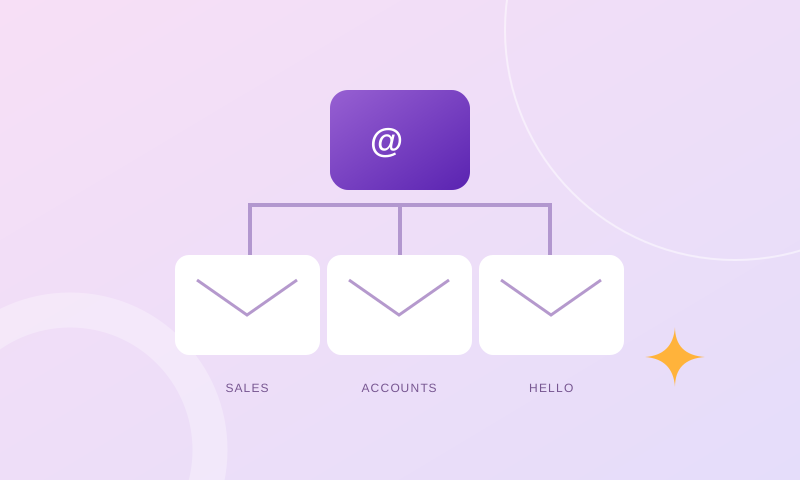
Start with a mailbox inventory
An email plan should reflect how your business communicates. Before adding accounts, list your existing addresses, the person responsible for each one and the storage currently used. Include role addresses such as accounts@ and sales@ so they do not get overlooked.
Mark which addresses are actively used, which belong to former staff and which only forward messages. Review old accounts before removing them: someone may still need their correspondence, or customers may still be writing to those addresses.
Separate three decisions
The number of accounts, capacity per mailbox and way a team shares work are related, but they are not interchangeable. Buying more accounts does not automatically increase the capacity of an existing mailbox. Increasing storage does not decide who should answer a shared enquiry.
- Account count: how many separate mailboxes and logins do you need?
- Storage: how much room does each mailbox need for retained messages and attachments?
- Responsibility: who owns each role address, and what happens when that person is away?
Give each person a clear identity
Where staff need individual correspondence, separate accounts make responsibilities clearer than sharing one personal login across a team. Keep role-based addresses for business functions and agree how the messages will reach the right people.
The best arrangement depends on the features of your email platform. Ask about aliases, forwarding and shared access rather than assuming every system handles them in the same way. If your workflow needs shared calendars or other collaboration features, include those in the requirements before choosing a service.
Plan for arrivals and departures
Agree a short onboarding process: create the account, configure the required devices, confirm the signature and test sending and receiving. Record who can approve access and who can request changes.
For departures, decide how access will be removed and how business correspondence will be retained or reassigned under your company’s policies. Do not leave a former employee’s credentials active just because a customer might still email that address. Discuss an appropriate transition arrangement with your provider.
Know what unlimited actually covers
An unlimited-account package can give a growing organisation flexibility, but the term needs context. OnHypp Power plans offer unlimited email accounts with a specified capacity per mailbox. They do not provide unlimited storage in each mailbox.
Compare your actual needs with the available Business and Power tiers. Confirm the service terms, migration requirements and annual total before upgrading. A larger package is useful when it solves a defined need—not simply because its name sounds bigger.
Bring your requirements to the conversation
Share your current account count, largest mailbox sizes, expected hires and any collaboration requirements. OnHypp can then discuss a suitable package and quote the agreed scope. The goal is a setup your team understands today, with a clear path for tomorrow.
Inventory people, addresses and actual mailbox usage
Begin with a table showing each active staff member, their email address, mailbox size and business function. Include temporary employees, former staff addresses still receiving messages, general sales inboxes and any aliases or forwarders. The important figure is not simply how many addresses appear on business cards: some are independent accounts with their own storage and passwords, while others are routing rules. Record which person controls each destination and the date that responsibility was reviewed. This inventory makes hidden problems visible, such as a former employee holding the only password to an account used for invoices. It also prevents a migration from silently omitting a little-used but operationally important address.
Keep personal and department addresses distinct
An individual mailbox should reflect a real person's authorised communications, while a role address such as purchasing@ or finance@ represents a function that should outlast employee changes. Decide whether a departmental address needs independent storage, a simple forwarder or delegated collaboration. Do not assume all hosting platforms offer the same shared-mailbox behaviour. Consider who may send as the department, whether replies are visible to colleagues, and how a dispute about an earlier response would be investigated. A named owner with a documented backup person is usually better than a role address that forwards to several staff without an agreed reply process.
Read storage numbers as per-account allowances
A company buying ten mailboxes with a 5 GB quota each does not receive one unrestricted 50 GB mailbox. Individual accounts may fill at different rates, and an unused quota in a colleague's inbox may not automatically increase another person's allowance. Measure Inbox, Sent and Trash as well as saved attachments. For staff exchanging purchase orders, technical drawings or large photographs, review the busiest months rather than one quiet week's snapshot. Define a warning threshold and assign somebody to act before quota exhaustion interrupts deliveries. Keep legitimate retention needs in mind: deleting correspondence just to free space can create a bigger operational or compliance problem.
Compare aliases, forwarders and true shared mailboxes
An alias may make one account reachable at several addresses, but it does not automatically give a team a shared view of tasks. A forwarder can deliver copies to multiple recipients but may scatter replies across personal inboxes. A dedicated departmental account provides its own storage, but asking a team to share its single password creates access and accountability risks. Some business collaboration suites support delegated shared mailboxes or group inboxes with different controls. Before paying for extra mailboxes, describe the workflow in plain language: how does a new enquiry get assigned, how is a reply recorded, and who takes over during leave? Choose the technology that answers those questions.
Forecast new employees and storage growth separately
Headcount and disk consumption do not grow at the same rate. Hiring five staff who exchange short internal messages may require five independent identities but little additional storage. Adding one contracts officer who retains scans and supplier drawings may create a larger storage increase than those five accounts combined. Use a twelve-month forecast with expected new hires, likely attachment sizes and known retention policies. Ask whether account limits and per-mailbox quotas can be expanded under the chosen service. Record when the forecast was made and what assumptions it used, so a later change can be explained instead of blamed on an unexpectedly expensive hosting plan.
Set rules for large attachments and record retention
Staff often use email as an improvised file archive, creating multiple copies of the same document in Sent folders, replies and forwarded messages. This can consume storage quickly while making it hard to identify the latest authorised version. Agree when a secure shared-document link is better than attaching another copy, especially for technical files or approved documents. Define retention rules with the business owner and relevant obligations rather than deleting every message older than a set number of months. If correspondence must be archived outside the live mailbox, test that authorised personnel can retrieve it. A storage policy should preserve access and confidentiality, not merely lower the hosting bill.
Include account security in workforce changes
Every new employee mailbox introduces another login that must be protected. Give staff unique credentials, teach them to recognise suspicious password-reset requests, and use multifactor authentication where supported. Maintain an approved administrator list instead of allowing every supervisor to change DNS or mail routing. When someone moves departments, remove obsolete access to sensitive role addresses. When they leave, revoke sessions and recovery methods, reassign business enquiries appropriately and decide how historical messages will be retained. An unmonitored forwarder set by a former employee can leak business correspondence even when the original account is later disabled.
Define a capacity-review routine before the mailbox is full
A small office does not need an elaborate monitoring dashboard to manage inbox storage. Schedule a monthly review of the largest mailboxes and any accounts close to their limits. Record the current size, changes since the last review, repeated large-attachment senders and messages about quota warnings. A predictable capacity review is cheaper than diagnosing missing purchase orders after a mailbox rejects new deliveries. Include a responsible person and a next-action date for each exception. Do not rely on an employee noticing a warning banner in Webmail, because they may use only a phone and never open the browser interface.
Avoid migrating email just to upgrade a website
An ecommerce website or HR portal may need more server memory and PHP concurrency without affecting employees' mailbox quotas. Keep MX, SPF, DKIM and DMARC entries under change control; an application migration should not erase mail records simply because the website's A or CNAME record changes. If employees already have adequate professional mailboxes, there may be no reason to move them. Conversely, adding mailbox capacity does not solve slow checkout or database operations. Treat the two services as linked through DNS but independently sized and supported.
Compare OnHypp Biz and Power choices by the intended use
OnHypp's Biz plans start with defined numbers of email accounts and a 5 GB standard quota per mailbox. The Power range permits more flexible account numbers subject to fair use and has 5, 10 or 20 GB per-mailbox tiers. One qualifying selected domain is already part of the advertised annual total, so an additional ordinary RM100 domain fee should not be added to the same package. The right choice depends on both number of employees and their actual storage. If the customer instead needs heavier PHP processing for a web application, OnHypp has separate managed web-hosting options; those do not replace the business mailbox entitlements.
Use a realistic expanding-office example
Consider a hypothetical engineering office with twelve staff, a central purchasing address and several people who retain large technical drawings. Counting twelve staff members is only the beginning: the company should list which roles require personal logins, which shared address needs a response history, and who consumes most storage. It may select an account count that fits staff while increasing capacity for the heavy users where the chosen plan supports it. It should also check who administers the domain and who removes access when a contract employee leaves. This approach produces a testable requirement rather than a request for a vaguely unlimited email package.
Prepare a handover sheet that somebody else can use
The final email plan should be understandable without the person who originally configured it. Record mailbox names, designated owners, per-account quotas, alias and forwarding rules, provider support channels, approved account recovery procedures and the next renewal period. Keep credentials in an authorised password manager rather than putting them in the handover document. A second administrator should be able to identify the largest inbox, the shared sales address and the process for a departing employee without guessing. Review the sheet after organisational changes. Where a company has separate website hosting, make that separation explicit so routine web work cannot accidentally alter mail service.
Reassess account security as the team grows
New mailboxes increase administrative work even when storage remains plentiful. Give one process owner responsibility for approving new accounts, address changes, message forwarding and access removal. Periodically check whether former employees can still sign in, whether recovery addresses are current, and whether forwarding rules send company information to personal mailboxes without approval. Use multi-factor authentication where the actual platform supports it; do not assume every email package offers identical controls.
For example, an office adding five sales employees may need more individual accounts while the finance mailbox still needs a larger capacity for invoices and attachments. Forecast two things separately: total accounts needed over the next year and storage use per mailbox. Check whether archives and backups satisfy the business's document-retention requirements. If a CRM or customer portal is planned, assess application hosting using CPU, memory and database workloads rather than treating it as a replacement for mailbox quotas.